Polylang vs WPML: A Beginner’s Guide
Both make WordPress multilingual, but not at the same price or in the same way. What they share, what sets them apart, and which to pick for a first site.
Polylang and WPML are the two most used plugins to make a WordPress site multilingual. They do the same groundwork, but one is free and grows with add-ons, the other is paid and all-in-one. The prices below were taken from each vendor’s site at the end of October 2026.
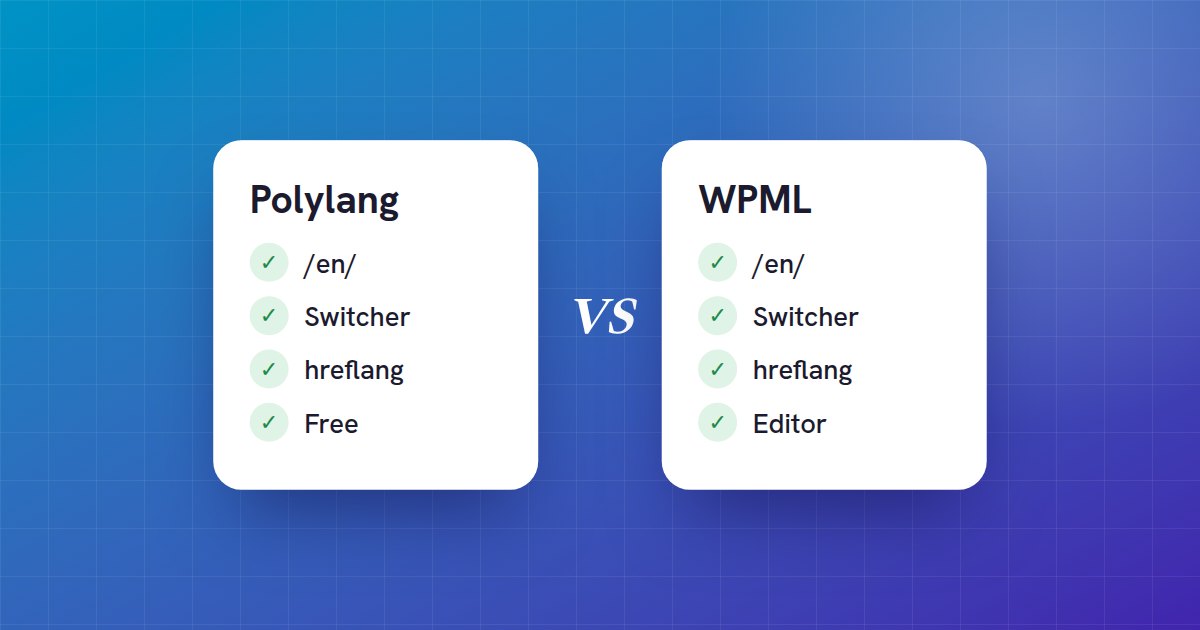
What they both do
- One address per language: a folder (/en/), a subdomain or a domain per language
- A language switcher for your visitors
- Each translation is a post of its own, linked to the original: you edit it like any other post
- hreflang tags, so Google serves the right language to the right visitor
- Categories, tags and menus translated language by language
Polylang: free, add what you need
Polylang is free on WordPress.org and is enough for most blogs and business sites. The strings of your theme and plugins (site title, widgets, cookie banner…) are translated in Languages → Translations, at no cost.
Polylang translates nothing by itself: you write each translation. Polylang Pro (from €99 a year for one site) adds DeepL translation from the editor, with your own key, one post at a time. A shop needs the paid Polylang for WooCommerce add-on.
WPML: paid, all-in-one
WPML has no free version. Its three plans:
- Multilingual Blog: €39 a year, 1 site, no AI translation
- Multilingual CMS: €99 a year, 3 sites, 22,500 AI-translated words
- Multilingual Agency: €199 a year, unlimited sites, 45,000 AI-translated words
WPML bundles a translation editor, theme and plugin strings (String Translation, in the CMS and Agency plans) and a WooCommerce add-on. Beyond the included words, automatic translation is paid in credits.
Which one to start with
- A blog or a business site on a small budget: free Polylang.
- You want one tool that also handles the shop and the translation editor, and a yearly subscription is fine: WPML.
- Several client sites: WPML’s Agency plan, or Polylang on each site.
What about the translating itself?
With either one, writing every translation by hand takes time. AutoLingo, free on WordPress.org, works with both Polylang and WPML: it translates each post when you publish it, or the whole site with one WP-CLI command, with DeepL, Google, Microsoft, OpenAI or DeepSeek on your own accounts. Free DeepL, Google and Microsoft accounts add up to about 3,000,000 characters a month.
With Polylang, AutoLingo Premium also translates the strings of Languages → Translations in one click: site title, widgets, cookie banner and plugin texts. Translations you already entered are never changed.