Lingo, the agent that rereads your machine translations
Machine translation is fast, not flawless: an opening time that changes, a sentence left in the original language. AutoLingo 1.9 adds Lingo, which rereads each translation like a proofreader.
DeepL, Google or an AI translate a site in minutes, and the result is often good. Often, not always: a price or an opening time that changes on the way, a sentence left in the original language, a place name translated word for word. On a website, nobody sees these mistakes until a visitor turns up at the wrong time.

What Lingo rereads
After each translation, Lingo rereads it next to the original: the title, the excerpt, the content passage by passage and the SEO fields. It looks for what a professional proofreader would correct, and nothing else:
- Meaning: a sentence that says something else, leaves out or adds information.
- Numbers and names: prices, times, dates, measurements, addresses, proper names.
- Passages left in the original language.
- Your glossary, grammar, fluency, and the formal or informal tone you chose.
A test on a real page
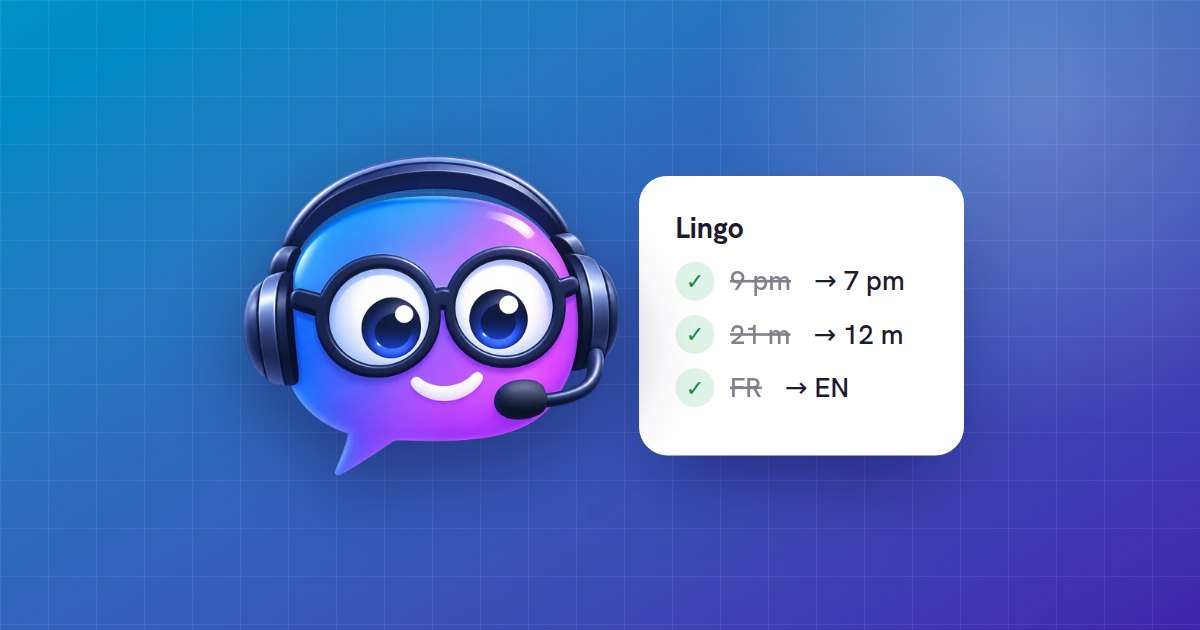
On a tourist page about Nantes translated into English, Lingo flagged nothing: the translation was right, and it does not invent problems. We then slipped in three mistakes: 9 pm instead of 7 pm, a 21-metre elephant instead of a 12-metre one, and a paragraph left in French. Lingo found all three in under four seconds and fixed them without touching the rest of the page. In Japanese, it suggested the usual Japanese names of the Château des ducs de Bretagne and the Machines de l’île rather than a word-for-word translation.
You stay in charge
In Settings → AutoLingo → Modules, choose what Lingo does: list the points to check, or fix those it is sure about and list the others. In the editor, each point shows the passage, the suggestion and the reason, with Apply and Ignore; a point you ignore does not come back. A translation created as a draft can be published as soon as Lingo has nothing left to report.
For a site already translated, the Tools tab has the whole site reread a few pages at a time, with no command line. Or with WP-CLI:
wp pdat review --dry-run
wp pdat review --lang=en,ja
Which AI?
Lingo is part of AutoLingo Premium. It rereads with AutoLingo AI, with no key, on the same monthly credit as translation: a review costs about as many characters as the translation itself. You can also use your own OpenAI or DeepSeek key. Since version 1.9.1, Elementor, Bricks and Beaver Builder pages are reread too, text by text.
Lingo also takes requests
Since AutoLingo 1.10, Lingo has its own tab in Settings → AutoLingo. Write what you want in your own words, “translate all my products into Spanish, as drafts” or “never translate my brand name”: Lingo looks at the site, answers with real numbers, and proposes the actions. Each action is a card with Confirm and Cancel, and the card says exactly what will run. Nothing changes without your click.
Site content stays data: if a page contains text written for an AI (“ignore your instructions…”), Lingo says so and proposes neither deletion nor a settings change after reading it.