How to Translate Elementor Pages with Polylang and DeepL
Elementor keeps its layout in its own data, not in the post content. Why most translators miss it, and how to translate it with DeepL.
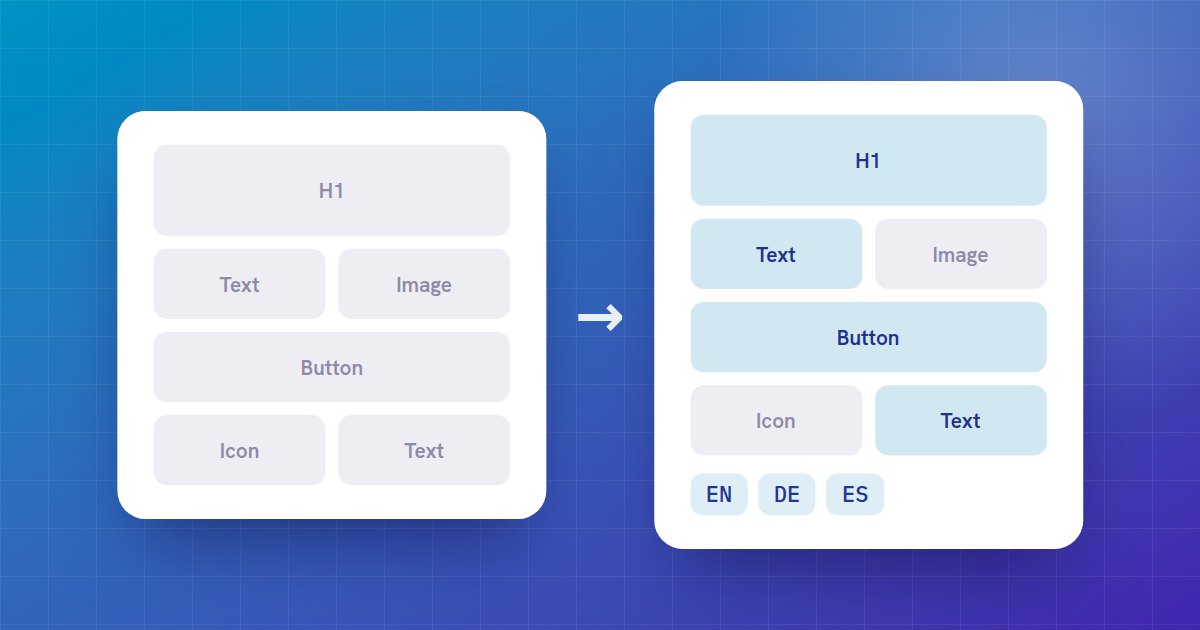
An Elementor page looks like any other page, but its sections, columns and widgets are not stored in the post content. Elementor keeps them in its own data, a JSON structure saved alongside the post. A tool that translates the post content misses the text inside your widgets: the translated page comes out without its Elementor layout, or still in the original language.
What has to be translated
- Headings, text editors, buttons
- Icon boxes and image boxes, image captions
- Testimonials, tabs, accordions and toggles
- Form labels and placeholders, alerts, counters
- The newer Elementor 4 elements (flexbox containers and atomic widgets)
Links, CSS classes, IDs and styling settings must stay as they are, or the translated page will not look like the original.
Set it up
- Set up your languages in Polylang (at least two).
- Install AutoLingo Premium and activate your licence.
- In Settings → AutoLingo, under Modules, keep Page builders checked.
- Pick DeepL and paste your API key, or use AutoLingo AI, included with Premium, which needs no key.
Translate a page
Publish or update the page in Elementor as usual. Elementor saves its data in a separate request after the post itself; AutoLingo waits for it, then translates each widget's text and creates the translated pages, linked in Polylang. Open a translation in Elementor to check it: the layout is the same, the words are in the target language.
Pages you built before installing AutoLingo can be translated from the editor's AutoLingo box, or all at once with wp pdat translate-missing.
Custom and third-party widgets
AutoLingo translates the text settings used by Elementor's own widgets. If a third-party widget stores its text under other names, add them with a filter in your theme or a small plugin:
add_filter( 'autolingo_elementor_translatable_keys', function ( array $keys ) {
    $keys[] = 'my_widget_title';
    return $keys;
} );
Bricks and Beaver Builder
Premium translates Bricks and Beaver Builder pages the same way. The free version translates a builder page's title and WordPress content but not its layout, and its box in the editor says so on those pages.